 Eileen Yu, Vice General Manager
Published Updated 3 min readTechnical guide
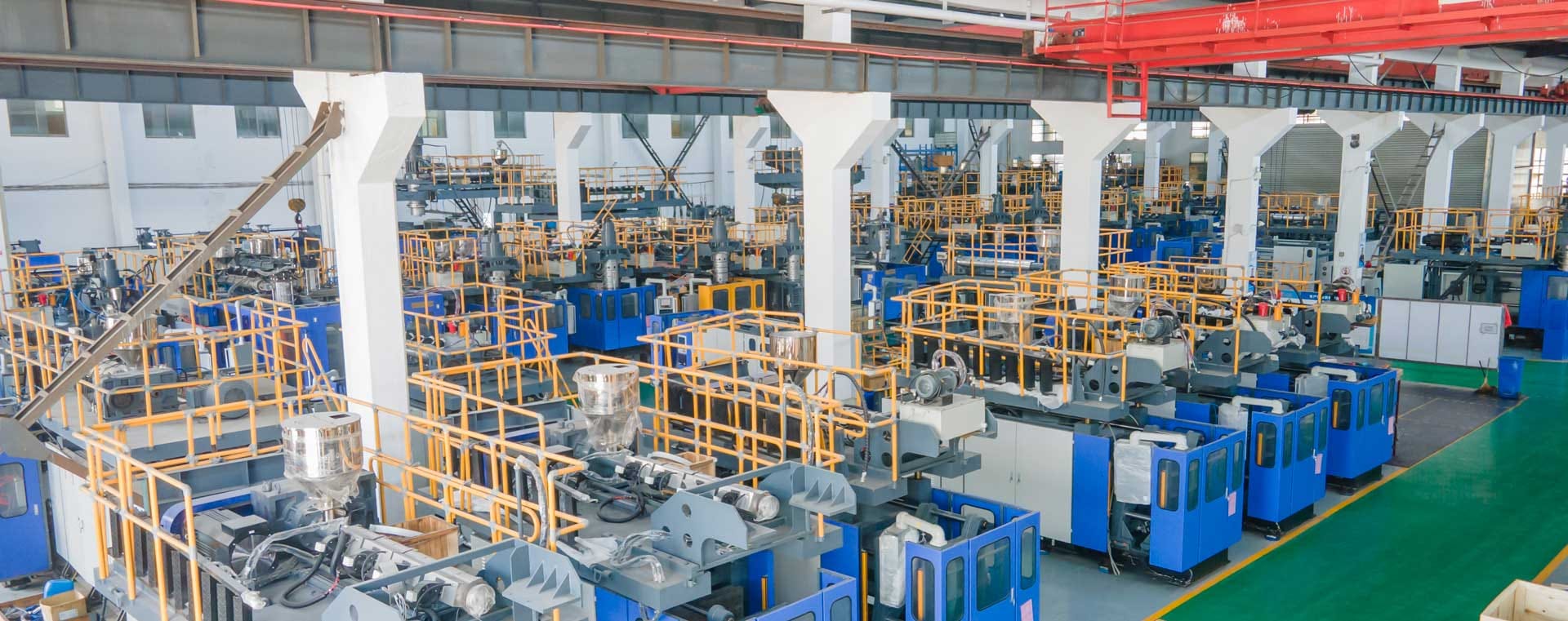
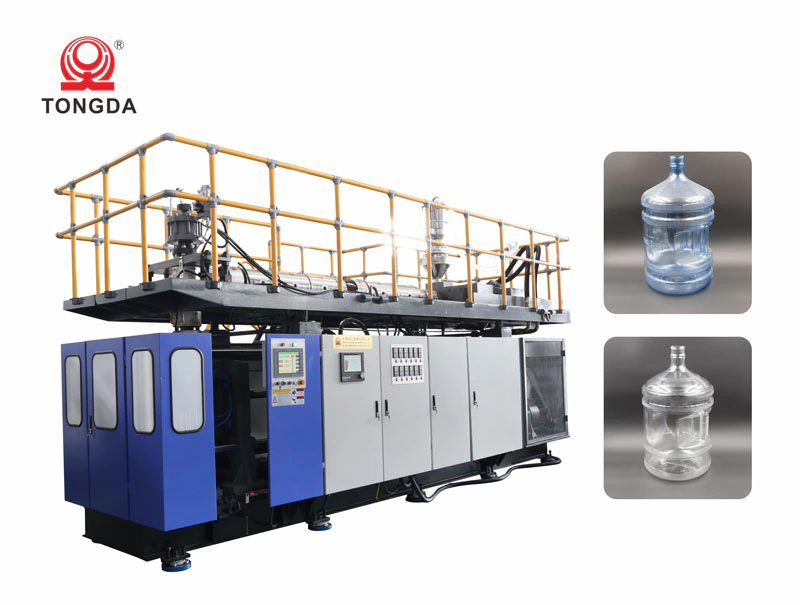
PC barrels are polycarbonate containers produced with polycarbonate (PC) resin as raw materials by extrusion or injection-stretch-blow molding (one-step or two-step) processes. By shape, they are divided into round and special-shaped barrels; by use, into general-purpose and special-purpose barrels. The product has extremely high mechanical strength, especially the high impact resistance; it can be used in a wide temperature range, and can be sterilized at 110 °C for 20 to 30 minutes; it has excellent transparency and a high refractive index. PC barrels are mainly used to package purified drinking water. This article describes 10 main steps for producing PC barrels on a Tongda blow molding machine.
1: Set the heating temperature to 160. After 1 hour, increase it to 220. After another hour, increase it to the normal production temperature. Then hold that temperature for 1 hour. In total, heating takes 4 hours.
Normal production temperatures by zone:
- Zone 1: 258 °C
- Zone 2: 268 °C
- Zone 3: 266 °C
- Zone 4: 262 °C
- Zone 5: 264 °C
- Zone 6: 260 °C
- Zone 7: 250 °C
- Zone 8: 240 °C
- Zone 9: 240 °C
- Zone 10: 240 °C
- Zone 11: 252 °C
- Zone 12: 266 °C
2: Turn on the hopper dryer at the same time as the heating. The hopper dryer temperature should be 100–115 °C (the dryer must be connected to water and air), and the material should be dried for 3–4 hours before production.
Start the mold temperature controller 1 hour before production. A setting of 85–105 is fine; 90 is typical. The controller uses heat transfer oil and needs cooling water.
3: When you start the main oil pump, also turn on the cooling water pump. Check the oil tank temperature and make sure it does not exceed 45 °C.
4: Before starting the screw, make sure water, electricity and air supply are all normal (air pressure 0.8). The first pressurization should be 50; then check whether the screw is turning. The pressure of the first shot should not exceed 200. When the accumulator is full, the screw moves forward and injects; increase the pressure gradually: 400, 600, then 800. The screw pressure normally does not exceed 900, so 850 is fine.
5: At normal production pressure, the gauge should read 2–2.5.
6: Keep the automatic injection time within 5–7 s, and set the parison length correctly.
7: Keep the flash at the bottle neck within 10 mm; the shorter, the better.
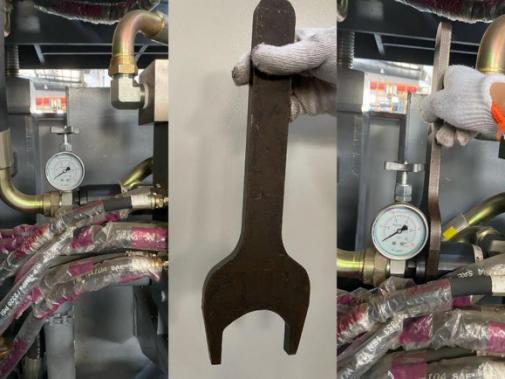
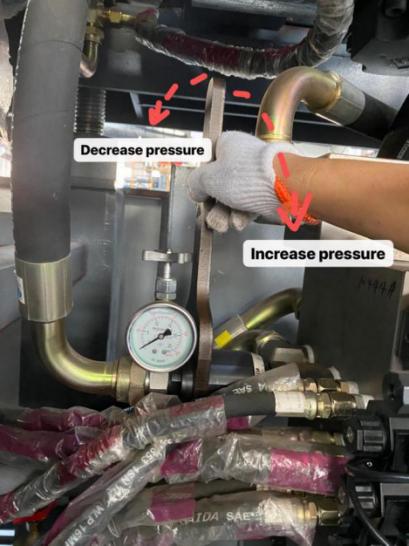
8: At a pressure of 857, the gauge should read 2.
Use the special wrench to turn it inward so that the gauge needle stays at 2–2.5 while the screw is turning.
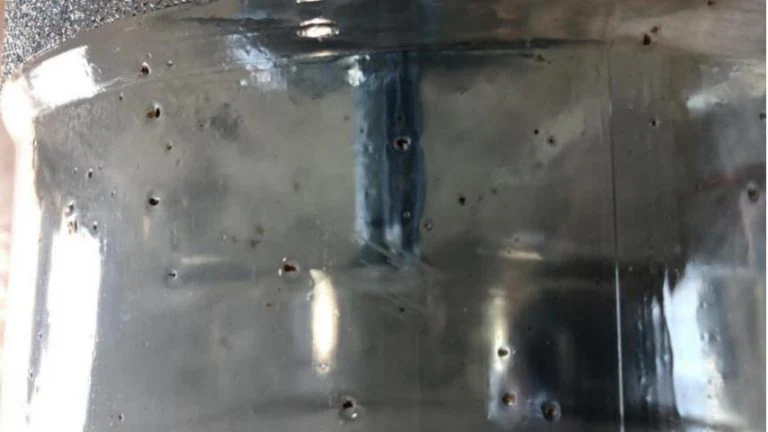
9: Here below are some reasons why there are black particles:
(1) Impurities can enter the screw through the vent, so we advise you to remove the material by hand instead of with a copper bar, because when you use copper bar to clean the material on the vent, it is highly possible that some material or some impurities go into the screw. Then it will cause black particles.
(2) Check whether the heater temperatures really match what the temperature controller shows. Use a thermometer to check: the controller may show 280 for Zone X while the heater is actually at 300, so make sure the temperatures are correct.
(3) If (1) and (2) are both fine, check the die head. Is there anything abnormal, or any unusual noise, at the die head? If you cannot confirm that the die head is fine, remove it and keep extruding material, then check whether the material coming straight from the screw (without passing through the die head) is good. If it is free of black particles, the problem is in the die head, and you need to clean it.
10: Uneven parison
Adjust the graph on MOOG100.
A method our technicians often use to find the points that need adjusting:
Each point on the profile corresponds to a position on the bottle. As the material comes out of the die head, mark the parison with a marker pen. For example, when the MOOG100 chart shows points 20, 40 and 60, draw lines on the parison; you can then match each part of the bottle to its point.